
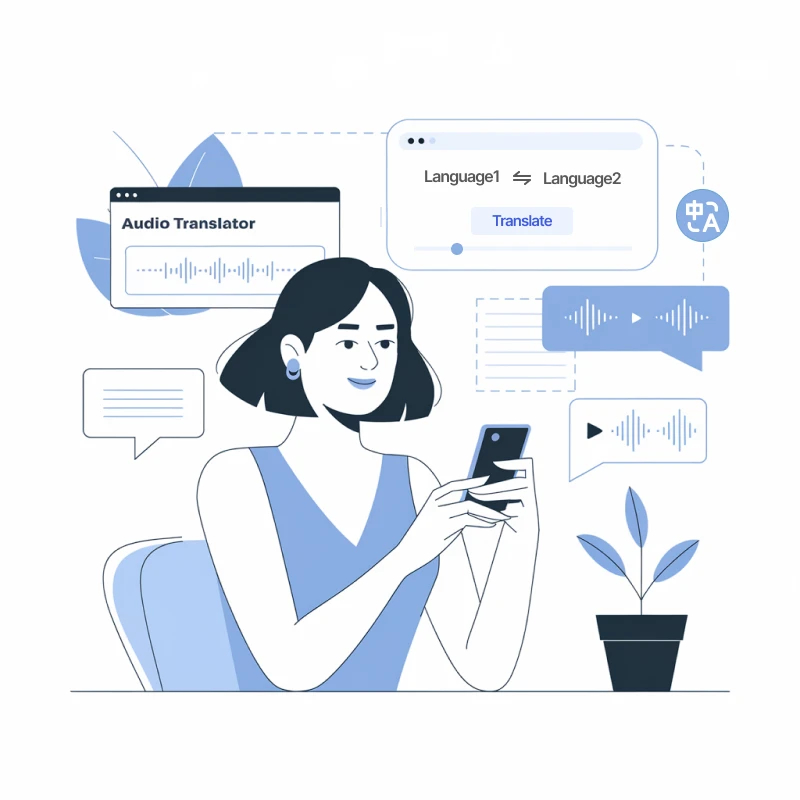
A Gold-Standard English to Arabic Voice Translator

AI-Powered High Performance
Our voice translator utilizes OpenAI's Whisper model along with advanced language models, ensuring exceptional transcription and translation quality. Enjoy context-aware translation that accurately captures the subtleties of speech when you translate voice from English to Arabic.

130+ Language Support
Our voice translator, leveraging advanced models like ChatGPT, Gemini, and Claude, effortlessly translates voice from English to Arabic and offers support for over 130 languages. Enjoy smooth communication across cultures with precise, context-sensitive translations.

Lifelike Natural Voice
Our AI produces naturally flowing dubbed audio that rivals human speech, skillfully capturing tone and emotion as it translates voice from English to Arabic for an authentic communication experience.

Preserve Background Music
Tailor your voice translation journey with our vast AI-based voice translator library. Effortlessly select the ideal tone and style to enhance your content when you translate voice from English to Arabic.

Transcription & Translation
Streamline your process with our all-in-one voice translator, designed to translate voice from English to Arabic. Effortlessly transcribe, translate, create subtitles, and dub your audio files, ensuring a smooth and efficient workflow.

Diverse File Support
Maintain the essence of your video's background melodies as our Transmonkey voice translator seamlessly integrates translated voiceovers, ensuring a refined and professional finish when you translate voice from English to Arabic.
Explore English to Arabic Language Pair Information

English
The English language is a West Germanic language that originated in medieval England. It has evolved over centuries, incorporating vocabulary and grammar from a variety of languages, including Latin, French, and Norse. Today, English is spoken by millions worldwide and serves as a global lingua franca, facilitating communication in diverse fields such as business, science, and culture. Its rich literary heritage and adaptability continue to influence many languages around the globe.
Arabic
Arabic is a Semitic language widely spoken across the Middle East and North Africa, with over 300 million native speakers. It has a rich history, serving as the liturgical language of Islam and a key to understanding classical literature and poetry. Arabic features various dialects, each reflecting local cultures. Its script is written from right to left, and it has a complex grammar system, making it both challenging and fascinating to learn.
Challenges in English to Arabic Translation
Translating voice from English to Arabic presents unique challenges, such as navigating differences in dialects and cultural nuances. Arabic's rich vocabulary and context-dependent meanings often lead to misinterpretations when directly translated. A professional AI voice translator can significantly ease this process by accurately capturing tone and inflection, ensuring meaningful and effective communication between English and Arabic speakers.

Essential Times to Convert Voice from English to Arabic

Podcast Translation
Enhance your podcast’s global impact with voice translation, effortlessly connecting with diverse audiences by delivering captivating content in various languages, amplifying engagement and reach.

Business Meetings
Enhance collaboration in business meetings through real-time voice translation, enabling seamless dialogue, fostering understanding, and empowering diverse teams to achieve shared goals without barriers.

Connecting with Relatives
Bridge language gaps effortlessly with voice translation, enabling heartfelt conversations with relatives worldwide. Share memories, laughter, and love without boundaries, enriching family bonds across cultures.
3 Quick Steps to Translate English Voice to Arabic

Upload Your Voice File
Drag your file into the upload window, or click the "Select File to Upload" option to add the voice file to the translator.
Review and Confirm
Double-check that your voice file is correctly uploaded and that the language pair shown matches your translation needs (e.g., English to Arabic).
Download Translated File
Click "Translate" and wait for the translation to finish. Download the translated voice file once the process is complete.
Explore More TransMonkey AI Translation Tools
Frequently Asked Questions
Can't find the answer you're looking for? Contact our support team
Transmonkey revolutionizes cross-border communication with its state-of-the-art translation technology. Powered by advanced AI models like ChatGPT and Gemini, our translator seamlessly converts a wide range of document types across over 130 languages, breaking down language barriers effortlessly.
Our translator provides translation services in over 130 languages, including English, Arabic, French, Russian, Spanish, and many more.
Our voice translator can efficiently process files up to 500 MB and 60 minutes in length.
Transmonkey uses top-tier AI to deliver native-level video and audio translations. Our technology captures speech with high precision, understanding context and tone to generate accurate subtitles and natural-sounding audio. Perfect for content creators, tutorials, and marketing videos. For professional broadcasting or audio with heavy background noise, we recommend a quick review of the generated subtitles.
Large language models are generally slower than traditional machine translation. Depending on the length of your video, the process may take anywhere from a few minutes to about an hour.
You can upload an audio file like MP3, or a video file, including MP4, MOV, M4V, or WAV, into the translator.
TransMonkey offers both free and paid options. New users receive free trial credits to explore the features. For extended use, we provide flexible pricing plans including pay-as-you-go credits and subscription options (monthly or annual). Pricing details are available on our website and may be updated periodically to better serve our users. Visit https://www.transmonkey.ai/pricing for current pricing information
Yes. Your data is securely stored on highly protected, dedicated servers located in the United States. Our storage partners are continuously audited and adhere to strict data security and privacy compliance standards.You can request immediate data deletion anytime at service@imgkits.com.
We offer refund options for both subscription plans and pay-as-you-go credits. Our refund policy varies by subscription type and purchase timing. For complete details about eligibility, refund windows, and how to request a refund, please visit our dedicated refund policy page at https://www.transmonkey.ai/cancel-and-refund. You can also contact our support team at vote@imgkits.com for refund assistance.