
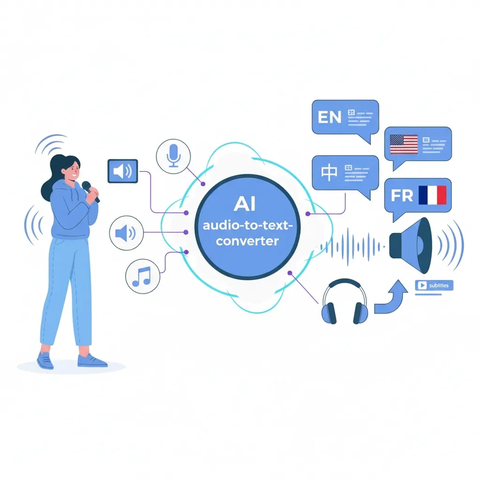
Top-Tier AI Audio Transcriber

Advanced Audio to Text
Powered by cutting-edge AI models like OpenAI Whisper, Transmonkey is a professional audio to text converter that delivers highly accurate and context-aware results. Whether you need to convert speech to text, audio typing, or dictation to text, our platform ensures fast and reliable results.

Extensive Language Support
Transmonkey supports audio transcription in over 50 languages, including English, Chinese, Spanish, Japanese, and more. No matter your needs, our platform is designed to transcribe audio to text online with ease and precision.

Advanced AI Speech Recognition
Our advanced speech recognition software captures every word with incredible accuracy, even in noisy environments. From automated transcription to dictation, Transmonkey ensures precise results for professionals and businesses.

All-in-One AI Audio Transcription
Simplify your workflow with an all-in-one solution for AI audio transcription. Convert audio to text, generate subtitles, and process your files efficiently. Perfect for interviews, meetings, or podcasts.

Easy Download and Sharing
With just one click, download your transcribed files in multiple formats. Subtitles and text files are ready to use, making it easy to share your content with your team or audience.

Security & Privacy
Your privacy is our top concern. We do not keep any of your audio-to-text information. Within a day of finishing the transcription, all data is erased. Only the history of the transcription is saved on your local browser.
3 Quick Steps to Transcribe Audio to Text

Upload Your File
Drag and drop your audio or video file into the upload area, or paste the URL for online content. Our platform supports various file formats for a seamless experience.
Click 'Convert'
Start the transcription process by clicking the 'Convert' button and let our AI audio transcription engine process your file.
Download Your Transcribed File
Once the transcription is complete, download your transcribed text and subtitles instantly.
Explore More TransMonkey AI Translation Tools
Frequently Asked Questions
Can't find the answer you're looking for? Contact our support team
Our audio to text converter supports over 50 languages, including English, Arabic, French, Russian, and Spanish, among many others.
You can paste the video link directly into the transcriber, or upload a file in formats such as MP3, MP4, MOV, M4V, MPEG, or WAV.
Our audio transcriber can efficiently process files up to 1024 MB and 180 minutes in length.
Large language models offer high accuracy for speech to text. Depending on the length of your audio, the process may take anywhere from a few minutes to about an hour.
Transmonkey uses top-tier AI models like OpenAI Whisper to deliver highly accurate audio to text transcription. Our technology captures speech with high precision, understanding context and tone to generate accurate text and subtitles. Perfect for content creators, interviews, and business meetings. For audio with heavy background noise, the AI still maintains professional-grade performance.
TransMonkey offers both free and paid options. New users receive free trial credits to explore the features. For extended use, we provide flexible pricing plans including pay-as-you-go credits and subscription options (monthly or annual). Pricing details are available on our website and may be updated periodically to better serve our users. Visit https://www.transmonkey.ai/pricing for current pricing information
Yes. Your data is securely stored on highly protected, dedicated servers located in the United States. Our storage partners are continuously audited and adhere to strict data security and privacy compliance standards.You can request immediate data deletion anytime at service@imgkits.com.
To transcribe audio to text, simply upload your media and select 'Convert.' Once finished, you can download the transcription results in VTT, CSV, or TXT format to your device.
We offer refund options for both subscription plans and pay-as-you-go credits. Our refund policy varies by subscription type and purchase timing. For complete details about eligibility, refund windows, and how to request a refund, please visit our dedicated refund policy page at https://www.transmonkey.ai/cancel-and-refund. You can also contact our support team at vote@imgkits.com for refund assistance.