

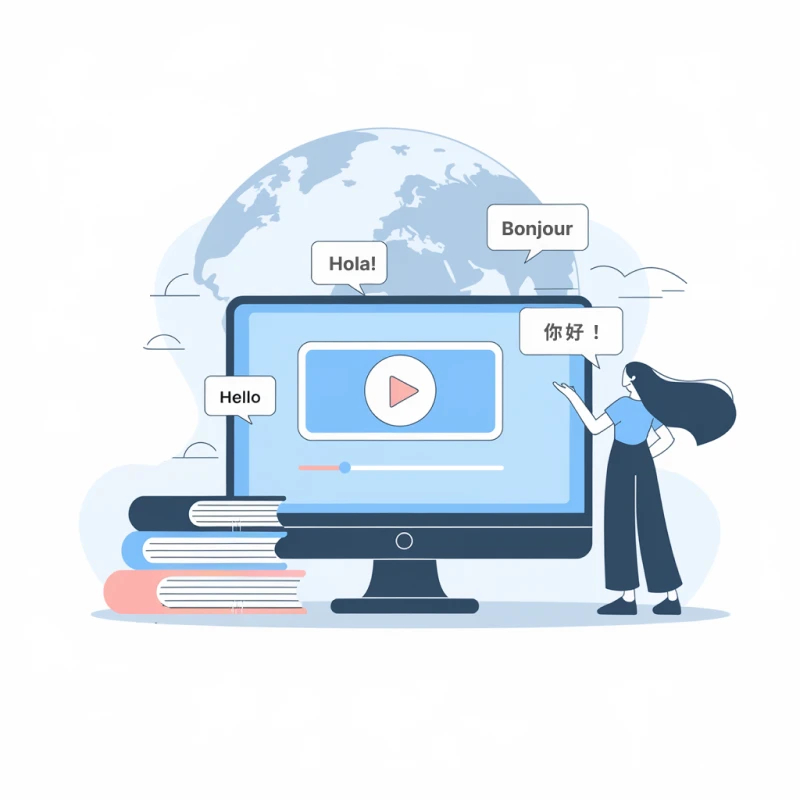
The Best Korean to German Video Translator from Transmonkey

AI-Driven Translation & Dubbing
Leveraging cutting-edge AI technologies like OpenAI Whisper and advanced models such as ChatGPT, Gemini, and Claude, our platform expertly translates videos from Korean to German. Enjoy contextually precise dubbing that is completed ten times quicker than conventional translation techniques.

Extensive Multilingual Support
Our platform supports translation for over 130 languages, including key languages such as English, Chinese, Japanese, Korean, Russian, Spanish, and German, allowing seamless translation of videos from Korean to German and beyond.

Background Music Preserved
Our video translator guarantees that when you translate video from Korean to German, the original background music and audio effects are preserved, ensuring a professional-quality viewing experience without sacrificing the integrity of the original audio.

Realistic AI Voiceovers
With our cutting-edge AI voice technology, you can select from a variety of lifelike voices that provide a seamless and authentic experience when you translate videos from Korean to German. This ensures a captivating dubbing that feels genuinely human.

All-in-One Solution
Streamline your editing process with our all-in-one video translator. Effortlessly transcribe, translate video from Korean to German, generate subtitles, and dub audio files simultaneously, ensuring a smooth and efficient workflow tailored for your needs.

Download Content with Ease
Download your fully translated videos with just a click. Our video translator offers subtitles in both the original Korean and translated German, ensuring your message resonates with audiences across the globe.
Explore Korean to German Language Pair Information

Korean
Korean is the official language of South Korea and North Korea, with over 80 million speakers worldwide. It is known for its unique alphabet, Hangul, created in the 15th century for easier literacy. The language features a subject-object-verb sentence structure and uses honorifics to convey respect in social interactions. Korean culture, music (like K-pop), and cuisine have contributed to its global popularity, fostering a growing interest in learning the language.
German
German is a West Germanic language primarily spoken in Germany, Austria, and Switzerland. It boasts a rich literary and philosophical tradition, with notable contributions from writers like Goethe and Kafka. The language is known for its compound words and case system, which adds depth to its grammatical structure. As the most widely spoken native language in the European Union, German plays a crucial role in European culture and commerce.
Challenges in Korean to German Translation
Translating video from Korean to German poses several challenges, primarily due to cultural nuances and linguistic differences. For instance, idiomatic expressions in Korean may not have direct equivalents in German, potentially leading to misunderstandings. Additionally, the pacing of subtitles must align with the original dialogue, making timing crucial. A professional AI video translator can efficiently navigate these complexities, ensuring an accurate and culturally relevant translation.

Discover When You Need to Translate Korean Video to German
ELearning and Training Videos
Unlock global learning by translating educational videos, allowing diverse audiences to engage deeply with content in their native languages, fostering comprehension and enhancing training outcomes.

Accessible Entertainment
Unlock a world of entertainment by translating films and TV shows; subtitles and dubbing bridge cultural gaps, inviting diverse audiences to enjoy stories together.

Live Event Streaming
Real-time translation of live streams bridges language barriers, enabling diverse audiences worldwide to engage fully and grasp the essence of global events seamlessly.
3 Quick Steps to Translate Korean Video to German

Upload Your Video
For a local file, drag and drop your video into the designated area or use the select file option to upload the video for translation. For an online file, simply paste the video URL directly into our translator.
Double-check that your video is correctly uploaded and that the language pair shown matches your translation needs (e.g., English to German).
Double-check that your video is correctly uploaded and that the language pair shown matches your translation needs (e.g., Korean to German).
Download Translated Video
Click "Translate" and wait for the translation to finish. Once complete, you can download the translated video. Subtitle files are also available for separate download.
Explore More TransMonkey AI Translation Tools
Frequently Asked Questions
Can't find the answer you're looking for? Contact our support team
Transmonkey aims to advance global communication with cutting-edge translation tools. Utilizing advanced large language models such as ChatGPT, Gemini, and Claude, our platform offers seamless translations for a wide range of file formats into over 130 languages.
Our translator supports over 130 languages, including English, Chinese, Arabic, French, Russian, and Spanish, among many others. You can view the full list of supported languages in the language selection dropdown menu at the top of the translator.
You can paste the video link directly into the translator, or upload a file in formats such as MP3, MP4, MOV, M4V, or WAV.
Large language models are generally slower than traditional machine translation. Depending on the length of your video, the process may take anywhere from a few minutes to about an hour.
Your file is translated by one of the best large language models available, offering top-tier AI translation quality. However, we do not guarantee the accuracy of the translation and do not recommend using it for professional purposes.
Our video translator can efficiently process files up to 500 MB and 60 minutes in length.
TransMonkey offers both free and paid options. New users receive free trial credits to explore the features. For extended use, we provide flexible pricing plans including pay-as-you-go credits and subscription options (monthly or annual). Pricing details are available on our website and may be updated periodically to better serve our users. Visit https://www.transmonkey.ai/pricing for current pricing information
Yes. Your data is securely stored on highly protected, dedicated servers located in the United States. Our storage partners are continuously audited and adhere to strict data security and privacy compliance standards.You can request immediate data deletion anytime at service@imgkits.com.
We offer refund options for both subscription plans and pay-as-you-go credits. Our refund policy varies by subscription type and purchase timing. For complete details about eligibility, refund windows, and how to request a refund, please visit our dedicated refund policy page at https://www.transmonkey.ai/cancel-and-refund. You can also contact our support team at vote@imgkits.com for refund assistance.